
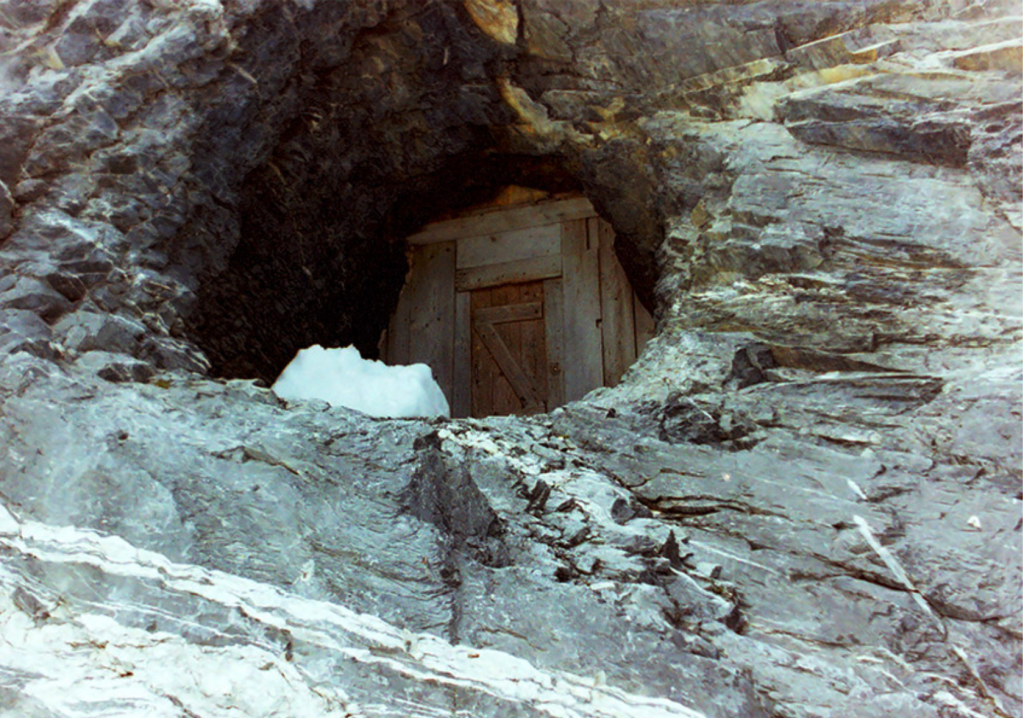
From now on, you can replace the phrase “calling a Kotlin suspend function” with “using the Stollenloch door”.
This article is about how the Kotlin suspend keyword hides special gear that ensures Kotlin coroutines can provide structured concurrency.
Introduction: imagine the Bernese Alps
Bear with me, here are some pictures to distract u make it easier.
This is an image of the Alps:

This is an image of the beautiful Bernese Alps. Its big mountains include the Jungfrau; Mönch, and Eiger (to the southeast of Lauterbrunnen):

This is the Stollenloch door, a wooden door on a hole drilled in the rock of the Bernese alps. It was made when the Swiss built the train track1 that goes up to the Jungfraujoch observatory:

This is where the Stollenloch door opens on the other side (yellow arrow):
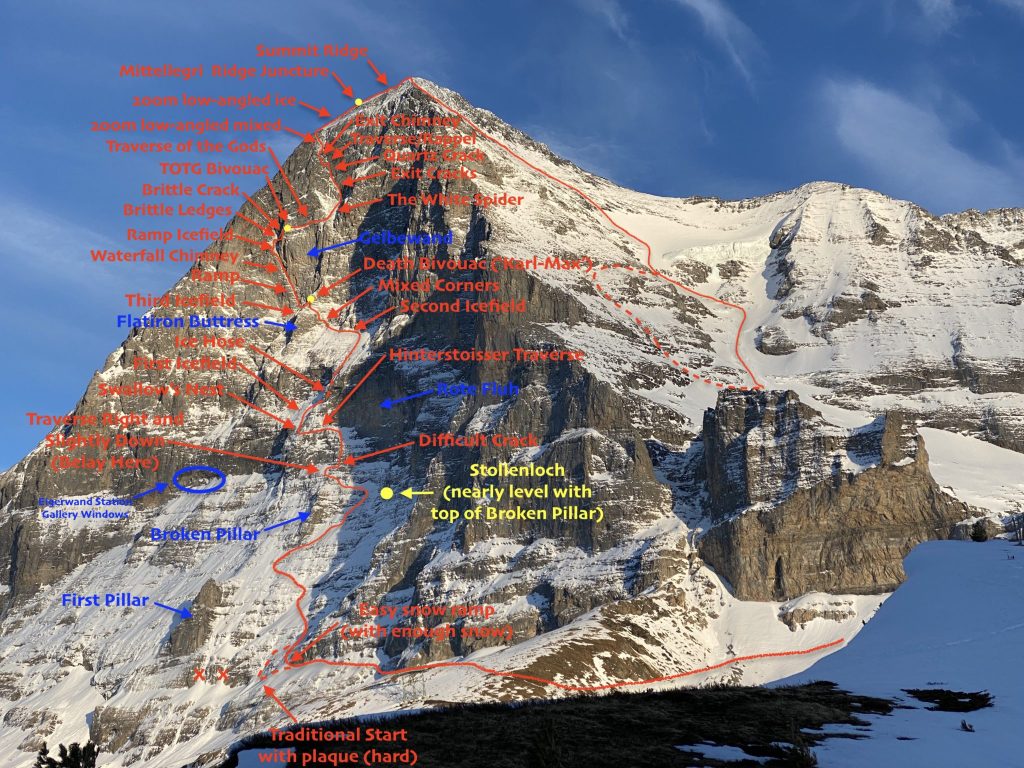
Suspend is like the Stollenloch door
Back in the realm of Kotlin, when you first encounter a suspend keyword decorating a function call, you might be confused. You may think: “oh that’s nice, they are informing me that there may be multithreading here”. Actually, it’s not just a cute information-type annotation. Of course, when you try to call the function directly from blocking code, the Kotlin compiler will yell at you. It will tell you that you cannot pass this suspend threshold without your special gear. This also known as the compiler error « Suspend function can only be called from a coroutine or another suspend function ».
Because, actually, the suspend keyword is like the Stollenloch door on the Eiger mountain north face. When you pass its threshold, you need to already have your rope, harness and special gear backpack. That is because your path continues out on a ledge on a sheer rock face. Your code path will continue in dangerous conditions. And once there, you may need to sleep on a portaledge and keep notes of what your next step is (because it turns out you’re also an amnesiac).
Yes, that was the introduction. Moving on.
How Kotlin coroutines are like being an amnesiac climber
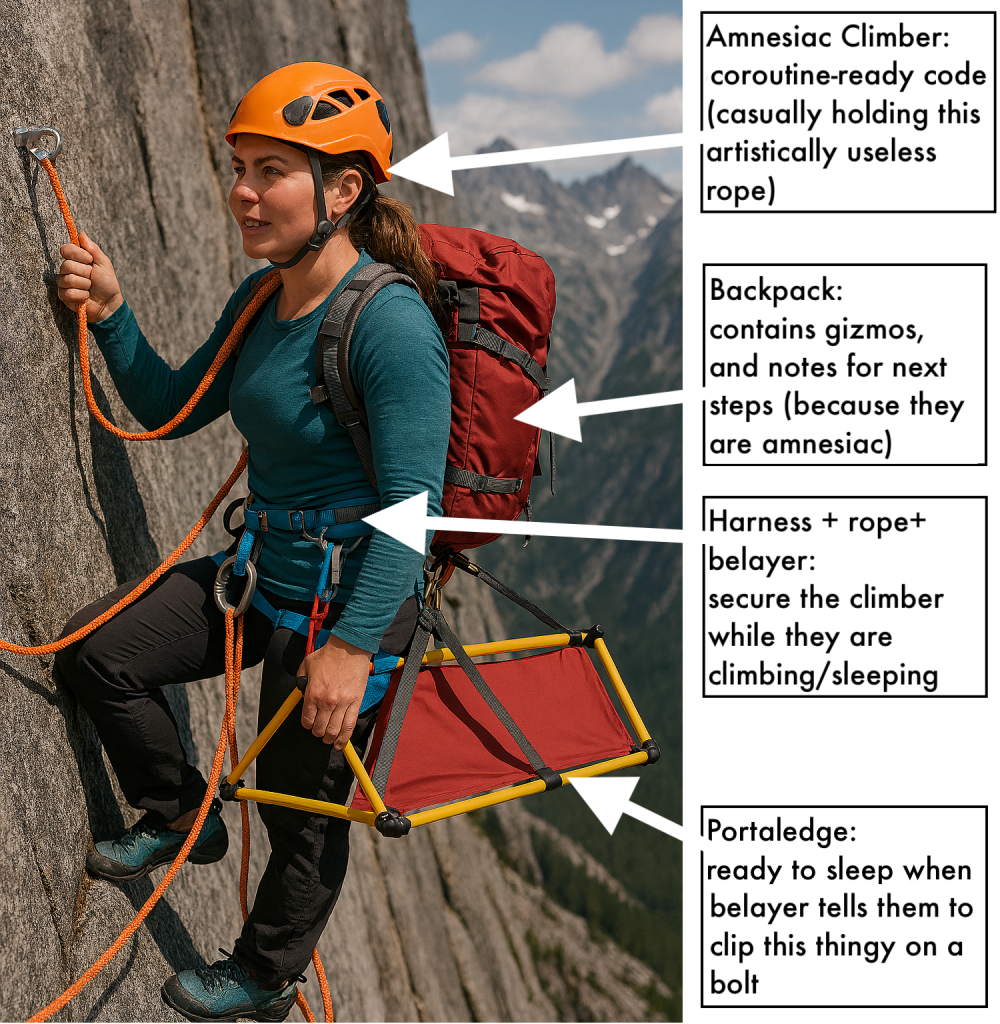
An illustration of our climber and their gear
| Climber gear | Coroutine equivalent |
| Harness + rope + belayer | CoroutineScope: this ties our coroutine into a context and overarching lifecycle, so that they do not get lost in the wild, and can be cancelled if needed |
| Backpack 🎒 | Continuation object (putting the « C » in « CPS »): this object contains all the logic and context info needed by the climber-coroutine |
| Portaledge (a suspended sleeping cot used by climbers) | State machine generated by the compiler in the coroutine code, which allows the coroutine code to be paused (put to sleep) and retstarted (awoken) |
A metaphor for Kotlin coroutines
In order to pass the Stollenloch door and use suspend functions, you need to «gear up» 🎒. This is done calling one of the «coroutine builders». These act as a portal between the flat (« blocking ») world into the «suspending world» of coroutines.
Kotlin programs without coroutines: just regular blocking code
When developing an application with Kotlin (Android or not), by default it is not running in a “coroutine context”. Your code will execute synchronously. This means it will run on the calling thread only, and block that thread from doing any other work. In order to use coroutines, you must do so explicitly via “coroutine builders” (and eventually scopes and dispatchers).
The invisible Kotlin coroutine
Although coroutines rely on core Kotlin language and compiler features, you also need to add the library kotlinx-coroutines to your project in order to use them. The library provides higher-level constructs (coroutine builders, flows, scopes, dispatchers) on top of the core language concepts.
Confusingly, the “coroutine” itself is not visible as a class or something you manipulate directly. This is different what you have with Java Threads and the Runnable interface. Kotlin coroutines are pretty elusive (by design) in Kotlin code.
The single visible element, the suspend keyword, hides a good bit of important plumbing set up by the Kotlin compiler. Coroutines are represented internally by a Job object. But, as a Kotlin developer, you barely ever need to work with it. The developer mostly manipulates the coroutine builders, suspend functions, and CoroutineScope methods which change the state of the coroutine : cancel, join, await.
Kotlin coroutines are designed with CPS code: Continuation-Passing Style. The compiler crafts a Continuation parameter object which is added to every function that has the suspend keyword.
The invisible Android component CoroutineScope
Within the Continuation object, there is a reference to a CoroutineContext object, which is instrumental to how structured concurrency works. The CoroutineContext can be accessed in an Android app when you use viewModelScope property of a ViewModel, for example.
A CoroutineScope is a special type of CoroutineContext. This context object has a tree structure, and designating the « scope » means you are referencing the whole tree. Sub-trees of any size within this general CoroutineScope are all CoroutineContexts. The name « scope » also serves as a reminder that all the couroutine methods are extension functions of the CoroutineScope. They exist to be used in a code block with an implicit this « scope » value.
Structured concurrency means ensuring that every coroutine is owned by some scope and cannot escape its lifetime. Functions that launch coroutines must wait for them or cancel them before returning.
In Android, in addition to the ViewModelScope, every Component comes with a Lifecycle object. Each Lifecycle has a CoroutineScope tied to it. These CoroutineScopes are the safety ropes your coroutine code should use to be securely tied into your app’s lifecycle.
What is the climbers backpack 🎒… I mean CPS (Continuation-Passing Style)?
Continuation-Passing Style (CPS) code means that these functions do not have a return value. Instead, they are passed a parameter (a Continuation callback) which is called with the result once it’s ready.
The idea of coroutines is to have a block of code that can pause and resume execution. When pausing, the current state of the block is captured in the Continuation object. This object can be simply serialized to store for later. The paused coroutine no longer needs a Thread. Execution is resumed by invoking the methods of the Continuation object.
Kotlin compiles suspending functions by transforming them into CPS code. Each suspend function is transformed to accept a Continuation<T> parameter, which includes:
resume(value: T)— resumes with a resultresumeWithException(e)— resumes with an error
How CPS works in Kotlin Coroutines, behing the scenes
The Continuation object is obtained by calling suspendCoroutine. This allows Kotlin to pause execution (e.g., during network calls) and resume later without blocking threads.
But when you are writing code, you do not see the Continuation boilerplate code. It is added in by the compiler. The developer can write simple sequential code, like this:
suspend fun getValue(parameter: String): MyValue {

    val resultA = makeAsynchronousCall() // suspension point while asynchronous call is executed
    val resultB = makeOtherAsynchronousCall() // suspension point while asynchronous call is executed

    return resultA + resultB // resume once results have been obtained

}
Written like this, the developer can ignore the implicit callback that needs to happen for this code to be paused while waiting for the result from the asynchronous calls.
The compiler transcribes it into something like this Java pseudo-code:
public final Object getValue(parameter: String, Continuation<MyValue> continuation) {

   switch (continuation.label) {

      case 0: // Initial state
         continuation.label = 1; //  change label to next state
         if (makeAsynchronousCall() == COROUTINE_SUSPENDED) return COROUTINE_SUSPENDED;
         break;

      case 1: // State 1: execution resumes here after the makeAsynchronousCall call returns
         continuation.label = 2; //  change label to next state
         if (makeOtherAsynchronousCall() == COROUTINE_SUSPENDED) return COROUTINE_SUSPENDED;
         break;

      case 2: // Final state: execution resumes here after the makeOtherAsynchronousCall call returns
         break;

      default:
         throw new IllegalStateException(message);
   }

   return someValue;
}
This implementation defines a state machine (based on the value on the Continuation.label attribute) separating the steps of execution.
This allows each step of the coroutine to be called sequentially, always saving the state reached before returning. The Dispatcher can save this value and suspend it for now. Afterwards, successive calls to this method are triggered when the secondary calls (« makeAsynchronousCall », « makeOtherAsynchronousCall », in this example) finish execution. Finally, the last execution calls the Continuation’s resume methods. This method will return the result to the caller of getValue, like a callback.
Back to our metaphor for suspend keyword and coroutines
So, as we’ve seen, Kotlin coroutines involve some special gear. This gear is required by the compiler before jumping into any suspend function call.
- The CoroutineScope is the harness. It holds metadata securing the coroutine execution in a structured concurrency ensemble. This is the dispatcher, job, name, as well as the tree of context and lifecycle.
- The backpack is the Continuation object. It holds resume logic and context.
- The portaledge is the state machine in the coroutine code. When deployed (suspended), the climber is sleeping on the portaledge. As such, they are securely clipped to a bolt, and not using any belayer’s attention. When it is not deployed, the climber is progressing on their route (executing the next step of the coroutine code), supervised by a belayer.
Step-by-step flow of the passage from blocking to suspending code
 | The future climber gears up by getting a CoroutineScope and calling a coroutine builder; these are their harness and rope + belayer |
 | Climber enters the Eiger north face via suspend fun gate, wearing a harness and gets a Continuation backpack |
 | Climber reaches anchor point (suspension like delay() or withContext()): she clips suspend gizmo → auto-deploys portaledge, packs current position/route notes into backpack → falls asleep (suspends). Belayer crew (thread/dispatcher) focuses on other climbers. |
 | Resume alarm (normal completion): wakes climber. Amnesiac climber opens backpack to check what Continuation has listed for next steps → « Oh right, route continues that way » |
| (no image due to possibly violent content) | Exception alarm (exception message): wakes with red flag. Climber checks backpack for contingencies (« try this alternate route » or « rappel to last safe ledge ») → handles via catch logic or propagates cancellation down. |
Conclusion
Hope this blog post has helped you understand more about Kotlin couroutines. The creators of Kotlin seem to have wanted to reduce the complexity of ensuring that Kotlin offers structured concurrency. This reduction in work for the developer comes with some added difficulties in my opinion. I hope my illustrations (enabled by AI) have helped to clarify some of these aspects.
- Note: Please note that Swiss trains of the Jungfraubahn no longer stop at the Eigerwand station to let mountaineers climb on the Eiger north face from there, sorry. ↩︎